

Software teams are used to the idea of “testing” as a way to reduce risk before release. With large language models (LLMs) in the product, that instinct is still correct—but the work splits into two related disciplines:
- Software testing: validating the application and its integrations behave correctly.
- LLM evaluation: measuring the model’s outputs against quality criteria like correctness, safety, style, and consistency.
They overlap, but they are not interchangeable. Treating LLM evaluation like traditional testing creates blind spots (for example, the app may be stable while the model answers are misleading). Treating software testing as “just prompt tuning” is equally risky (for example, the model may generate excellent text while the system leaks data or fails under load).
Start with the core distinction: determinism vs probability
Traditional software is designed to be deterministic: given the same inputs and state, it should produce the same outputs. That makes expectations crisp (“this API returns 200 and a JSON object with X fields”).
LLMs are probabilistic: even with the same prompt, outputs can vary by sampling settings, hidden state, model updates, or subtle context differences. That doesn’t mean you can’t test; it means you often test properties and distributions, not exact strings.
Practical implication: you’ll still have some exact checks (e.g., “output must be valid JSON”), but you’ll rely more on scoring, rubrics, and thresholds (“at least 4/5 on factual accuracy across the dataset”).
What “software testing” covers in LLM-powered products
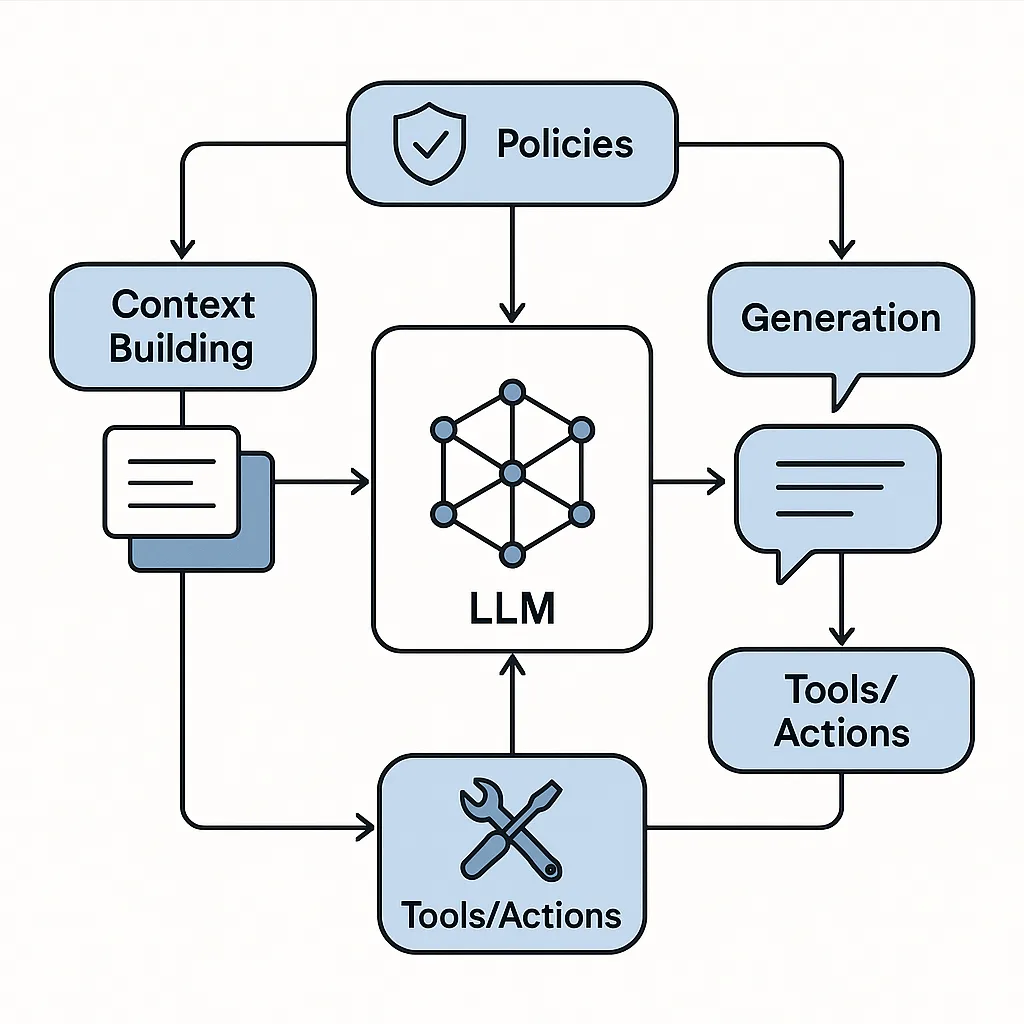
Software testing for an LLM feature is the same discipline you already know, applied to an architecture that now includes prompts, retrieval, tools, and model APIs.
Key areas:
-
Functional correctness of the application
- Routing: the right feature triggers the LLM at the right time.
- Tool use: the model’s tool calls are executed correctly.
- Business rules: authorization, limits, and workflow states are enforced.
-
Integration correctness
- Retrieval pipelines (search/vector DB), document parsing, caching, re-ranking.
- External services (billing, email, storage) called with correct parameters.
-
Non-functional requirements
- Performance: latency budgets, timeouts, retries, fallbacks.
- Reliability: resilience when the model API is slow or unavailable.
- Security & privacy: secrets management, access control, audit logging.
- Observability: trace IDs, logs, error rates, metrics.
Hypothetical example: A support assistant feature should refuse to access restricted customer tickets. That refusal is partly an LLM behavior problem—but the enforcement must be done in application logic. Software testing verifies the authorization layer prevents retrieval of restricted records regardless of what the model “wants” to do.
What “LLM evaluation” covers (and why it’s different)
LLM evaluation focuses on output quality under realistic inputs. You are assessing the model’s behavior, not the stability of the surrounding code.
Common evaluation dimensions:
- Task success / helpfulness: Did it solve the user’s request?
- Factuality / groundedness: Are statements supported by approved sources (or citations from retrieved docs)?
- Instruction following: Did it follow system rules and constraints?
- Safety: Does it avoid disallowed content and handle sensitive requests properly?
- Tone and style: Is it on-brand and appropriate for the context?
- Consistency: Does it contradict itself across turns?
- Robustness: Does it behave reasonably under messy inputs (typos, mixed languages, partial context)?
Hypothetical example: You build a “release notes summarizer” for internal changelogs. The software can be flawless—file uploads work, job runs, results display—but the LLM might:
- omit critical changes,
- hallucinate features not in the changelog,
- mislabel breaking changes as minor.
Only LLM evaluation will reveal that quality gap reliably.
Why “test cases” look different in each discipline
Traditional test cases: precise expected results
A software test case typically specifies:
- inputs,
- steps,
- expected output (exact values),
- pass/fail criteria.
Example: “When the user clicks Export, the system downloads a CSV with columns A, B, C.”
LLM eval cases: rubrics, thresholds, and judges
LLM eval cases often specify:
- an input (prompt + context + retrieved docs),
- a target behavior (what “good” looks like),
- an evaluation method:
- human rating rubric,
- automated checks (format, banned terms),
- model-as-judge scoring,
- comparisons against reference answers.
Example: “Given this policy excerpt, the response must (1) cite the excerpt, (2) avoid legal advice language, (3) include escalation steps.” Pass/fail might require meeting all constraints plus a minimum quality score.
Where they overlap: hybrid checks you should absolutely do
Many of the most practical quality controls combine both disciplines:
-
Structured output validation (software testing + LLM evaluation)
- If you require JSON, test strict parsing.
- Evaluate whether the content fields are semantically correct.
-
Tool-call correctness
- Software test: tool call schema is valid; execution succeeds.
- LLM eval: the model chose the right tool, with the right arguments, at the right time.
-
Retrieval groundedness
- Software test: retrieval returns documents; ranking is stable; permissions enforced.
- LLM eval: answer uses retrieved sources and doesn’t invent facts beyond them.
A practical workflow: how to run both without doubling your effort
1) Define quality targets as “contracts”
Write down a small set of non-negotiable contracts:
- Must not reveal restricted data.
- Must not claim actions it didn’t take.
- Must follow formatting constraints (e.g., JSON, bullet list).
- Must cite sources when using retrieved knowledge.
- Must refuse unsafe requests according to policy.
These contracts become:
- assertions in software tests (e.g., permissions, logging),
- hard gates in LLM evaluation (e.g., “no prohibited content,” “has citations”).
2) Build a representative evaluation dataset
Create a dataset that mirrors reality. Include:
- common user intents,
- edge cases (ambiguous requests, incomplete info),
- adversarial attempts (prompt injection, data exfiltration),
- multi-turn conversations,
- multilingual or noisy inputs if relevant.
Keep each item self-contained:
- user message(s),
- system instructions,
- expected context (retrieved docs, tool outputs),
- scoring rubric notes.
Tip: Start small (50–200 items) and grow iteratively. Quality beats quantity early.
3) Separate “gating checks” from “quality scoring”
Use two layers:
-
Gating checks (fast, strict, objective)
- JSON parses
- required fields present
- banned phrases absent
- citations included when required
- response length within bounds
-
Quality scoring (slower, probabilistic)
- rubric-based ratings
- pairwise preference tests (A vs B)
- model-judge scoring with calibration
- human review for a sampled subset
This prevents minor style variance from blocking releases while still guarding critical constraints.
4) Run evaluations in three moments: dev, pre-release, and post-release
- During development: evaluate every meaningful prompt/template change.
- Pre-release regression: freeze a build and run the full suite to catch unintended shifts.
- Post-release monitoring: track live quality drift with:
- sampling and human review queues,
- automated policy violation detectors,
- dashboards for refusal rates, escalation rates, and user re-tries.
Hypothetical example: After a model version update, you notice more “confident but wrong” answers. Pre-release eval would catch that; post-release monitoring catches it if it slips through.
5) Keep a tight feedback loop from failures to fixes
When a failure happens, classify it:
-
App bug (software fix)
- wrong tool wired up
- retrieval returning empty due to indexing issue
- permissions not enforced
-
Prompt or policy issue (LLM behavior fix)
- unclear instruction hierarchy
- missing refusal guidance
- formatting ambiguity
-
Dataset gap (evaluation fix)
- a new user intent appears
- a new injection pattern emerges
- a domain term wasn’t covered
Each failure should produce one of:
- a code change,
- a prompt/template change,
- a new eval item (so it doesn’t regress silently).
Choosing metrics that won’t mislead you
Avoid relying on a single “accuracy” number. Prefer a small set of metrics aligned to user risk:
- Constraint pass rate (format, citations, policy)
- Task success rate (rubric score threshold)
- Hallucination/ungrounded rate (claims not supported by provided sources)
- Refusal quality (refuses when it should; helps when it can)
- Escalation appropriateness (hands off to a human when required)
Make metrics sliceable by intent and user segment. A global average can hide failures in high-risk scenarios (e.g., “account changes,” “medical-like questions,” “financial decisions”).
A simple mental model: test the system, evaluate the behavior
If you’re deciding what to do next, use this heuristic:
- If the question is “Did the system do what it’s supposed to do?” → software testing.
- If the question is “Was the answer good, safe, and grounded?” → LLM evaluation.
- If the question is “Did it do the right thing end-to-end?” → you need both.
Treating LLM evaluation as a first-class practice alongside traditional QA makes LLM features shippable—and keeps quality from being an after-the-fact debate based on anecdotes rather than evidence.